
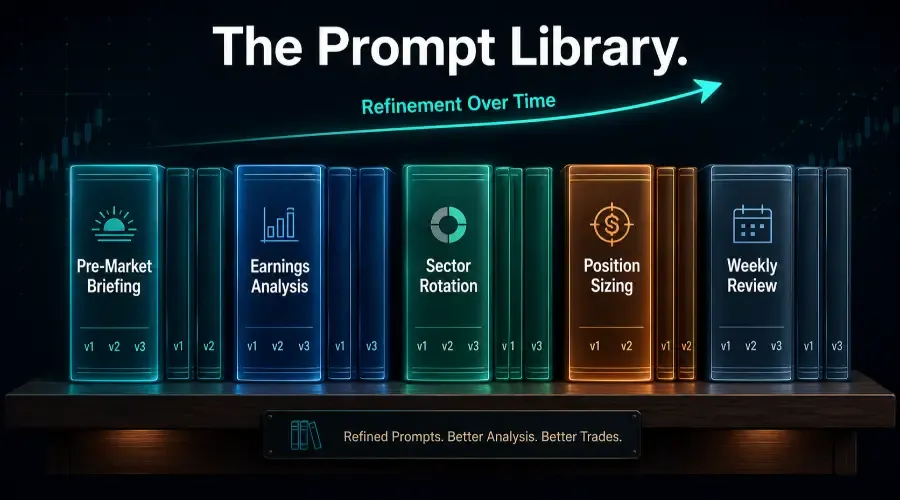
Every time you write a prompt from scratch, you're solving a problem you've already solved before. The pre-market briefing prompt you wrote last Monday wasn't meaningfully different from the one you wrote the Monday before. The earnings analysis prompt you constructed for Meta's Q3 results had the same structural bones as the one you built for Microsoft the prior quarter.
You already did the work. You just didn't keep it.
A trading prompt library keeps it – not as an archive of things you've tried, but as a living collection of the best version of each recurring prompt type, refined through actual use, ready to deploy in seconds. This is the foundation of any serious automated trading workflow. It doesn't make you a better analyst. It makes your best analytical thinking available consistently, without reconstructing it from memory every session.
The prompt library is the foundation of the systematic approach covered in Prompt Engineering and Automation for Traders. The hub overview explains the three levels of AI automation and where the library fits in the progression from ad-hoc use to chained workflows.
Why Reusable Prompts Compound Over Time
The compounding mechanism behind systematic trading research is simple. The first time you write a prompt for earnings transcript analysis, you produce a version that works reasonably well. By the tenth time, you've encountered the edge cases, learned which constraints prevent hallucination drift, and discovered which output format actually serves the trading decision you're making.
That tenth version is substantially better than the first. But if you wrote each one from scratch, the learning resets every session. A trading prompt library externalises that learning – the eleventh session starts from the tenth version rather than from zero. Traders who build libraries early, even imperfect ones, consistently outperform in AI stock analysis quality over traders who develop better individual prompting skills but don't systematise.
The Eight Prompt Categories Every Library Should Cover
A complete library covers every recurring analytical task in your workflow. Eight categories account for the majority of LLM for traders use.
Category 1 – Pre-Market Briefing
The daily orientation prompt synthesising overnight futures, sector ETF momentum, economic calendar events, and pre-market movers into a structured brief. The highest-frequency prompt in any library – run every trading day and the backbone of trading routine automation.
Category 2 – Earnings Report Analysis
Two versions: one for the press release and headline figures (usable within minutes of release), one for the full transcript (deeper, run once the transcript is available). Different time pressures require different prompt structures.
Category 3 – Technical Setup Assessment
Processes OHLCV data, indicator readings, and key level descriptions into a structured assessment against your entry criteria. Should embed your specific confirmation conditions and invalidation levels.
Category 4 – Sector Rotation Analysis
The weekly ETF performance table prompt identifying sector leadership and emerging rotation signals. Runs weekly as part of the review process and feeds AI-driven watchlist building directly.
Category 5 – Fundamental Stock Analysis
The financial ratio contextualisation prompt comparing current valuation metrics against historical averages and sector peers. Used when initiating new positions, not as a daily task.
Category 6 – Position Sizing and Risk Check
The most rigid template in the library. Takes entry price, stop level, and account parameters and returns a GO/NO-GO against defined criteria. Exists to enforce mechanical compliance, not to produce nuanced analysis.
Category 7 – Post-Market Trade Journal
Processes trade details, reasoning, execution, and emotional state into honest pattern assessment. Should be personally calibrated to surface your specific recurring patterns.
Category 8 – Weekly Portfolio Review
The comprehensive Friday review. Takes the longest to run and produces the highest-leverage output for refining your systematic trading process.
Individual templates become most powerful when they're connected into sequences. How to Chain Prompts for Multi-Step Stock Analysis covers how to take the templates in your library and link them into a four-step analysis chain where each output becomes the structured input for the next prompt.
How to Structure Templates With Variable Fields
Variable fields are the placeholders that change from session to session. Everything else – role assignment, analytical framework, output structure, constraints – stays constant.
Use square brackets for variable fields: [TICKER], [DATE], [PASTE OHLCV DATA], [SECTOR FOCUS]. Filling in a template takes 2 to 3 minutes. Writing the equivalent prompt from scratch takes 8 to 10.
One practical note on data security: before pasting data into any template, scrub personal account identifiers, position sizes, and any proprietary firm data you wouldn't want stored in an external platform. The template structure itself is safe to keep in Notion or a text file – the sensitive layer is what you paste into the variable fields.
The Three-Use Rule – Testing and Refining Prompts
Run any new template three times before treating it as the production version. After three uses, you'll have identified the output format issues, constraint gaps, and missing variable fields that weren't visible from a single session.
One important caveat: if a template produces a critical failure on the first use – a constraint that accidentally blocks all output, or a role assignment that generates completely off-topic analysis – fix it immediately. The three-use rule applies to gradual optimisation, not to broken templates. A v1.1 hotfix is always justified when the failure is obvious.
After three uses, make the refinements and create v2. Archive v1 – don't delete it. Prompt refinements aren't always improvements, and keeping version history means you can identify exactly what changed when a refinement introduces a new problem.
One additional note: templates built and refined on Claude may need minor constraint adjustments if you switch to ChatGPT or another model. Don't assume a v3 template ports identically across models – test before treating it as production-ready on a new platform.
A Real Template Evolution – Pre-Market Briefing v1 to v3
Here's what the evolution of a pre-market briefing template looked like across four weeks of daily use.
Version 1: Role assignment, five data inputs, four output sections, one constraint against external information. It worked, but after three uses two problems were clear. The output included extensive background on macro mechanics – why CPI matters for equity markets, historical context for Fed patterns. This content was factually accurate, confirmed through the verification habit of cross-checking AI output against source data, but entirely unnecessary for a trader who already understands macro mechanics. The top 3 stocks section was also pulling from too broad a sector definition.
Version 2: Added a constraint: "Do not provide background explanation of why macro events are significant – focus only on the current reading's specific implications." Expanded the sector focus variable field to separate [PRIMARY SECTOR] and [SUB-SECTOR FOCUS]. Output improved significantly. After three more uses, one new problem emerged: the model occasionally surfaced names from adjacent sectors when the sub-sector watchlist was thin.
Version 3: Added: "The top 3 stocks in Section 4 should be drawn from [SUB-SECTOR FOCUS] exclusively – if no names qualify, state that explicitly rather than substituting from adjacent sectors." That constraint eliminated the irrelevant watchlist names. Locked in as v3 after three confirming uses.
Total refinement time: approximately 40 minutes over four weeks. Watchlist accuracy – the percentage of pre-market names that produced a tradeable setup during the session – improved measurably.
Where to Store Your Library and Long-Term Maintenance
Notion is the strongest option for most traders. One database, one page per template, with fields for Category, Version, Status (Current / Experimental / Archived), and the template body. The database structure makes it easy to see the full library and identify gaps.
Plain text files work if simplicity is what makes you actually maintain the system. For the three or four templates you use daily, embed them in a Claude Project (a persistent AI workspace that retains your strategy parameters across sessions) so they're available without copying from a separate document. Use Notion or a text file as the master reference; the Project is the daily deployment layer.
For the highest-frequency templates pre-market briefing, position sizing check, and technical setup: the most efficient storage is directly in a Claude Project system prompt. How to Build a Personal Trading Assistant Using AI Projects covers how to embed your most-used templates in a Project so they apply automatically to every session.
Quarterly maintenance cadence: review each template once a quarter to confirm it still aligns with your current strategy rules, data sources, and risk parameters. Strategy evolves. Model behaviour changes between updates. Data sources shift. A quarterly audit – 30 minutes to run through the full library – prevents the gradual drift where templates produce good output for a strategy you no longer run. If a template hasn't been used in 60 days, archive it. A lean library of 8 to 12 actively refined templates outperforms a bloated collection of 30 half-maintained ones.
Q&A: Building and Maintaining a Trading Prompt Library
Q: How do I know when a prompt is good enough to be part of my permanent library?
Use the three-use rule. Run your draft prompt across three distinct market conditions – a quiet consolidation day, a high-volatility earnings day, and a major macro-event day. If the output consistently provides what you need for market data synthesis without requiring follow-up prompts for clarification or logic, it's ready to be locked in as a versioned template. Financial prompt engineering works precisely because the bar is consistent output across varied conditions, not just one strong session.
Q: What should I do if a new prompt version performs worse than the previous one?
This is exactly why the versioning habit matters. Because you archived v1 rather than deleting it, you revert immediately. Avoid patching a broken v2 under market pressure – the clear version history and one-sentence changelog mean a bad day of experimentation never compromises your core AI trading research workflow. Examine what specifically changed between versions before rebuilding.
Q: Is there a risk of having too many templates in the library?
Yes – template bloat is real. A trading prompt library should be a lean, high-leverage collection of your most important workflows, not a graveyard of every prompt you've ever tested. The quarterly audit handles this: if a template hasn't been used in 60 days, archive it. Keep the master library focused on the 8 to 12 recurring analytical tasks that drive 90% of your trading decisions. More templates means more maintenance overhead, and maintenance fatigue is what causes libraries to degrade rather than compound.